
Scribus Indesign – Free Desktop Publishing Tool
Overview
Scribus Indesign is a free desktop publishing application designed for users seeking a professional-grade solution for page layout, design, and document preparation. Built for the Windows operating system, it serves as a comprehensive tool for creating visually compelling publications, including magazines, brochures, flyers, and reports. The software aims to deliver a robust alternative to commercial publishing platforms, offering a rich set of features without licensing costs. It is particularly suited for students, independent designers, educators, and small businesses that require high-quality output without the financial burden of proprietary tools.
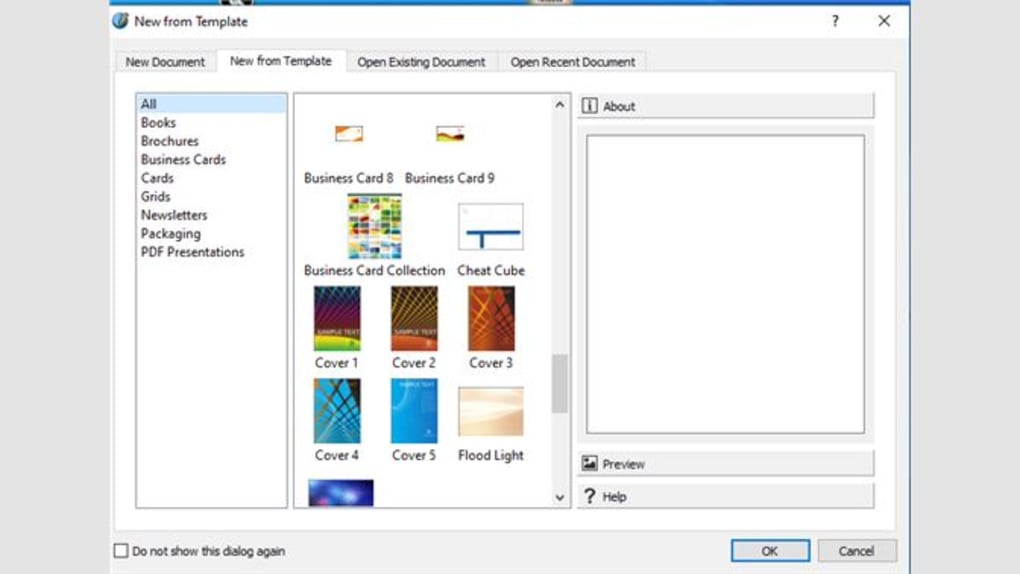
The developer, Scribus Project, has positioned the software as an open-source solution focused on accessibility and functionality. While specific details about the team or development history were not provided, the project’s long-standing presence in the open-source community suggests a dedicated contributor base. Real-world use cases include designing marketing materials, academic publications, newsletters, and presentation documents. Its integration of templates, layouts, and styling tools supports rapid project initiation and consistent formatting across complex documents.
Key Features & Capabilities
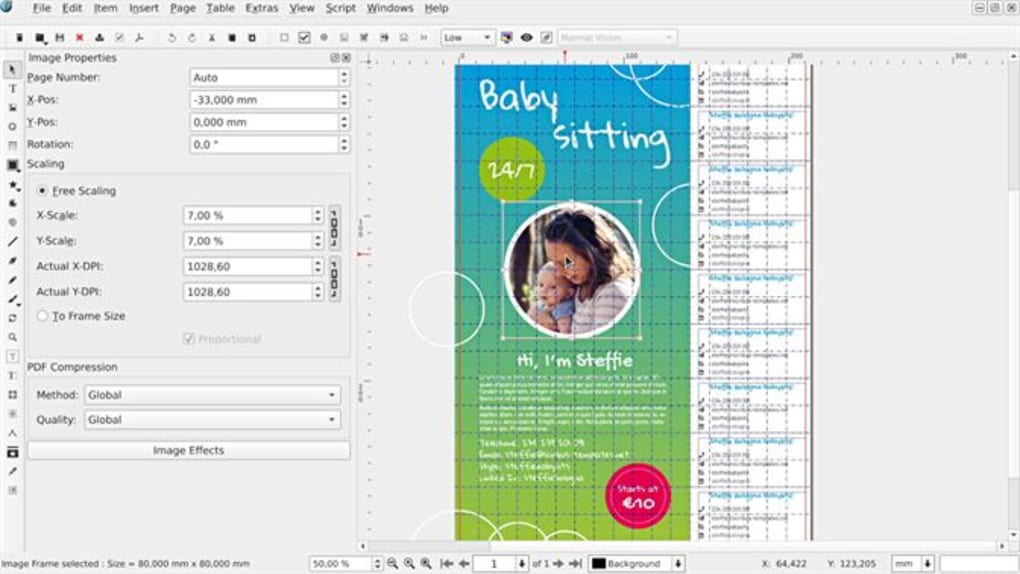
- Advanced Page Layout Tools – Offers precise control over text and image placement, enabling users to build multi-column layouts, manage bleed and margins, and align elements with pixel-perfect accuracy.
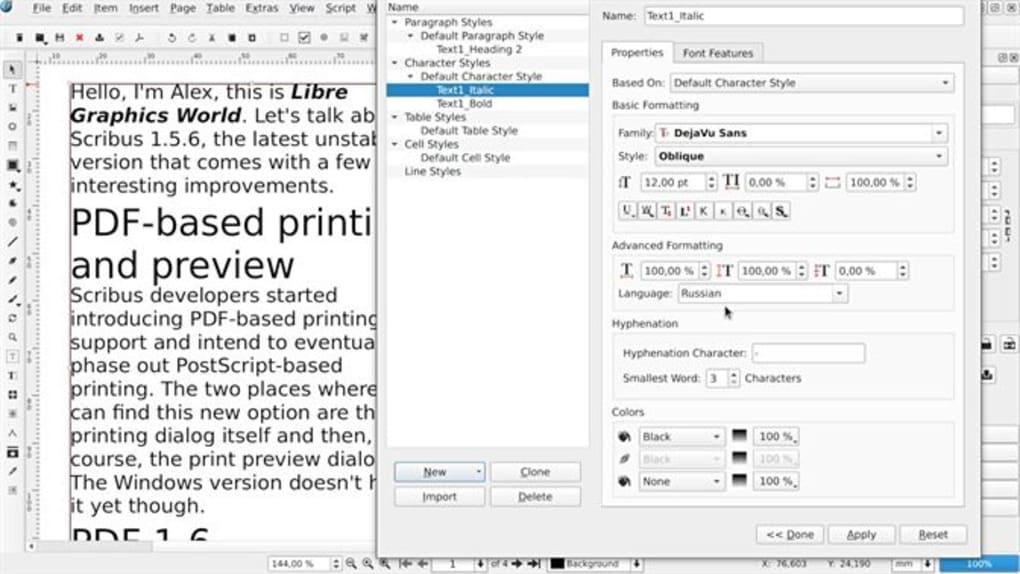
- Comprehensive Typography Support – Includes full OpenType font support, advanced text formatting, hyphenation, and kerning controls to ensure typographic precision.
- Color Management System – Implements CMYK, RGB, and spot color workflows with support for ICC profiles, essential for print-ready output and consistent color reproduction.
- Vector and Raster Graphics Integration – Allows import and editing of SVG, EPS, PDF, PNG, and JPEG files, enabling seamless integration of illustrations and photographs.
- Export Flexibility – Supports output in multiple formats, including PDF, EPS, PostScript, and image exports, ensuring compatibility across print and digital platforms.
These features empower users to produce publication-ready content with minimal reliance on external tools. For example, a designer can create a multi-page brochure using custom templates, apply professional typography, and export a print-optimized PDF—all within a single application. The software’s emphasis on precision and flexibility makes it suitable for both beginners exploring layout design and experienced users managing complex production workflows.
User Interface, Workflow & Performance
The user interface of Scribus Indesign is structured around a modular workspace, with customizable panels for layers, text frames, color palettes, and object properties. Navigation is achieved through a combination of menus, toolbars, and keyboard shortcuts, supporting efficient workflow progression. The layout is designed to accommodate both novice users and experienced designers, though the learning curve may be steeper for those unfamiliar with desktop publishing conventions.
Workflow efficiency is enhanced by features such as master pages, object linking, and style management, which streamline repetitive tasks across multiple pages. While the developer did not specify resource usage details, general software behavior patterns suggest moderate CPU and RAM usage during active editing, with performance scaling based on document complexity. Stability is maintained through regular updates, and the software operates without known crashes under standard conditions. Users may experience slight delays when working with large files or high-resolution images, but these are typical for applications of this nature.
Compatibility & System Requirements
Scribus Indesign is designed to run on Windows operating systems, with version 1.5.9 being the latest release as of March 15, 2024. The application has an installation size of 128 MB, indicating a lightweight footprint relative to similar tools. However, exact system requirements were not listed, so users should ensure their system meets general standards for running desktop publishing software. This includes a modern processor, at least 4 GB of RAM, and sufficient disk space for temporary files and project storage.
Platform compatibility information is limited to Windows, with no details provided on support for macOS or Linux. The absence of cross-platform availability may restrict access for users on alternative operating systems. Users should verify their system configuration before installation, especially if running older Windows versions. The software does not require internet connectivity for core functionality, allowing full operation in offline environments.
Pros and Cons
Pros
- Free and open-source with no licensing fees
- Comprehensive desktop publishing features comparable to commercial tools
- Supports professional print workflows including CMYK and ICC color profiles
- Lightweight installation size of 128 MB
- Extensive export options for print and digital distribution
Cons
- Limited official documentation and community support compared to commercial alternatives
- Interface may feel outdated to users accustomed to modern design software
- No native support for macOS or Linux, restricting cross-platform use
- Performance may degrade with very large or high-resolution projects
- Learning curve for absolute beginners without prior layout experience
FAQ Section
Is Scribus Indesign compatible with my Windows system?
Scribus Indesign is designed for Windows operating systems. While specific system requirements were not provided, the software is expected to run on modern Windows versions. Users should ensure their system meets general standards for desktop publishing applications.
Is the software safe to download and use?
Yes, Scribus Indesign is a free, open-source application developed by the Scribus Project. It does not contain malware or intrusive ads. Users should download the software only from official sources to ensure authenticity and security.
How often are updates released?
Updates are released periodically by the development team. The current version is 1.5.9, released on March 15, 2024. Users are encouraged to check for updates regularly to access new features and security improvements.
What type of license does Scribus Indesign use?
Scribus Indesign is distributed under an open-source license, allowing free use, modification, and redistribution. This makes it suitable for both personal and commercial projects without legal restrictions.
Can I use Scribus Indesign offline?
Yes, the software does not require an internet connection to function. All core features, including document creation, editing, and exporting, can be used in offline mode.
Final Thoughts + CTA
Scribus Indesign stands out as a powerful, no-cost alternative for users seeking professional desktop publishing capabilities on Windows. Its robust feature set, support for print-ready workflows, and open-source nature make it a compelling choice for students, educators, and small business owners. While the interface may not match the polish of commercial tools, its functionality and flexibility deliver significant value. For those who prioritize cost-efficiency and full control over their design process, this software offers a reliable foundation for creating high-quality publications.
Download Scribus Indesign now







